Manage of backed up files
Commands menu contains all commands to manage backed up files.

|
Manage of backed up files
|
|
|
When a backup process is finished, you can explore the backed up files, find some of them by search criteria and restore all or only few of them. Also you can view logs of backup and restore processes. Restore panel allows you to manage a tree of backed up files and folders: Logs panel allows to view backup and restore logs. | 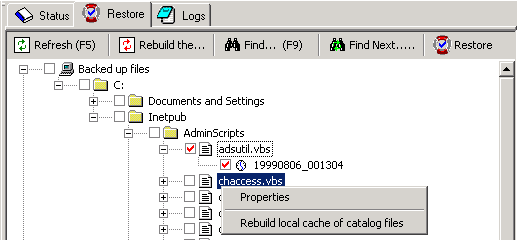 |