Tools commands
Tools menu contains FTP and DBBackup Consoles and other helpful wizards.

|
Tools commands
|
|
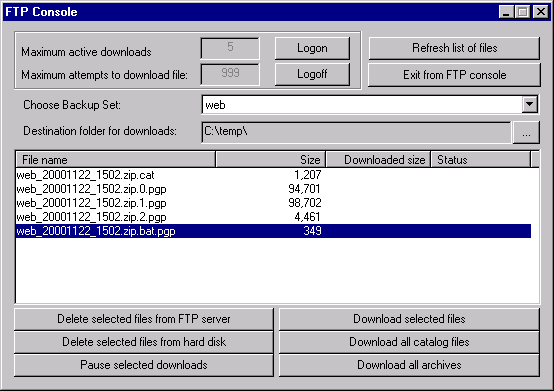
The FTP Console is a very simple tool to download your backup archives from the Remote Server. Use this only if WestNet Backup can not automatically download backup archives from our server because of a bad internet connection. FTP Console supports a queue of files to download, and pause and resume features. After logon, you will see a list of files in the selected Backup Set. Click here to see the FTP Console screenshot.
Use the File splitter wizard to split a large file into a few smaller parts. When you invoke the wizard, a dialog box for selecting a file to be split will appear. You must select the source file to split. The File splitter wizard will appear:
DBBackup is an easy to use tool that allows to backup Oracle and MS SQL Server databases. more...
A simple wizard allows to copy files from one folder to another. You can specify a list of file types to copy, and invoke the Copy wizard to make a few copies of the files (optional).
You have to use this wizard when you want to encrypt or decode some files using your encryption keys. To do this you have to: